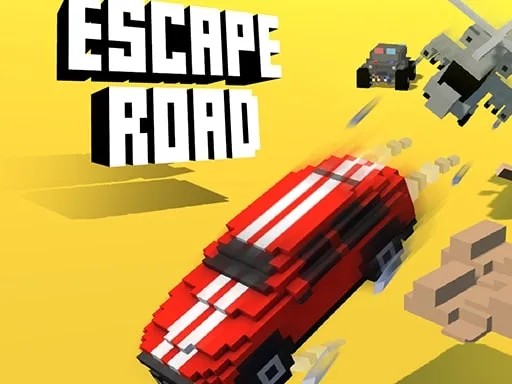
Escape Road




Rating:
4.82
Played:
63,291
What Is Escape Road?
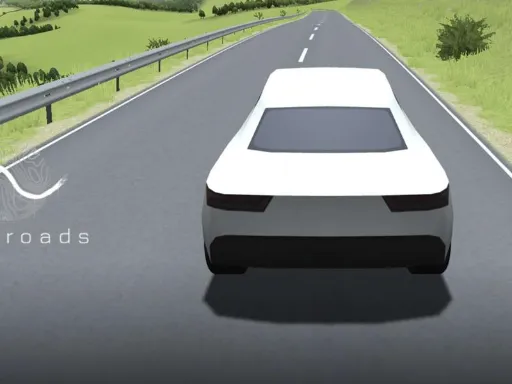
Escape Road is a browser-based police-chase driving game where survival matters more than finishing a “level.” Each run is an endless escape through a 3D city. You start as a criminal on the run and the chase begins immediately: sirens, tailing cars, and traps that appear when you least expect them.
What makes it exciting is the mix of speed and decision-making. You’re not just dodging traffic—you’re reading the city like a map. A wide road might be faster, but it’s easier for police to surround you. A narrow alley can save you, but one bad angle can end the run. In Escape Road, the goal is simple: don’t crash, don’t get boxed in, and keep moving long enough to set a new high score.
Cash pickups add a strong “one more try” loop. The money is used for unlocks and upgrades like new vehicles, which can change how the car feels in corners and how easy it is to recover from mistakes. Over time, Escape Road becomes less about luck and more about learning which routes keep you alive.
Play Escape Road in Your Browser
Escape Road is designed to run instantly in a modern desktop browser—no install, no waiting, no account needed. Because it’s a browser game, it’s perfect for quick breaks. One run can take just a few minutes, and you can return later to push your score higher.
To play Escape Road on your site, open https://trafficroad.net and start right away. It’s the easiest way to play Escape Road in one click—no downloads. For the smoothest experience, use a recent version of Chrome, Edge, or Firefox, close heavy tabs, and switch to full screen after the game finishes loading.
A few quick habits can make runs smoother:
- Use a stable Wi-Fi or wired connection.
- Turn off battery saver mode on laptops (it can limit performance).
- If the chase stutters, refresh the page and try again with fewer background apps.
How to Control Escape Road
The Escape Road controls are simple, so you can focus on split-second choices instead of complicated combos.
Basic controls (keyboard)
- A / D or Left / Right Arrow: steer left or right
- W or Up Arrow: accelerate
- S or Down Arrow: reverse or brake
Some versions keep the car rolling forward at a steady pace, so steering becomes the main skill. Small, smooth turns help you stay stable, while sharp jerks can throw you into a wall or straight into a trap.
Control tips that actually help
- Stay calm at corners. Most runs end on turns. Enter wide, then cut in gently.
- Use quick direction changes to shake pursuers. Police often mirror your path, so two fast turns can break their line.
- Don’t over-brake in open streets. Slowing down too much can let the police surround you.
Where Escape Road Comes From
Escape Road is commonly credited to AZ Games as the developer, and it’s widely distributed as a free-to-play browser title. It’s part of a modern wave of instant-play driving games: short sessions, simple controls, and replay value driven by cash, unlocks, and higher scores.
On the technical side, many versions run as a 3D browser experience, which is why it can feel close to a lightweight console-style chase game while still loading like a webpage.
Common Questions About Escape Road
Is Escape Road free to play?
Yes. Escape Road is typically offered as a free browser game. On trafficroad.net, you can launch it without downloading anything and start playing immediately.
Do I need to download Escape Road?
No. The game runs in your browser, so there’s no installer and no extra files. If the page loads, the chase loads.
Why does Escape Road feel so hard?
Escape Road is built like an endless runner with cars. The longer you survive, the more pressure you face: tighter spaces, more traps, and less time to react. That rising difficulty is the point—it keeps the action exciting even after you learn the basics.
How do I lose the police?
You can’t “end” the pursuit, but you can create space. Use sharp turns, avoid crowded areas, and pick routes where pursuers can’t surround you easily. Smart path choices usually matter more than raw speed.
How do vehicle unlocks work?
Collect cash during runs, then use it to unlock new cars. Different vehicles can change handling and survivability, so unlocking cars is one of the best long-term goals in Escape Road.
Does Escape Road work on mobile?
Some versions may load on mobile browsers, but for reliable controls and smoother performance, Escape Road usually feels best on a desktop or laptop.
What should I do if the game lags?
If Escape Road starts to lag, refresh the page, close other tabs, and avoid running downloads or video streams in the background. Browser performance depends a lot on your device and how busy your browser is.
Ready to Play Escape Road?
If you want to test your reflexes and see how long you can stay ahead of the sirens, head to https://trafficroad.net and start a run. Learn the city, unlock better cars, and chase a new personal best in Escape Road.
es



Comments
Loading comments…